Sheet music at your own size

Large Score shows only your part, as large as your eyes need, with as few bars a line as that takes.

Coming to the App Store.For the 11-inch and 13-inch iPad, and the Mac.

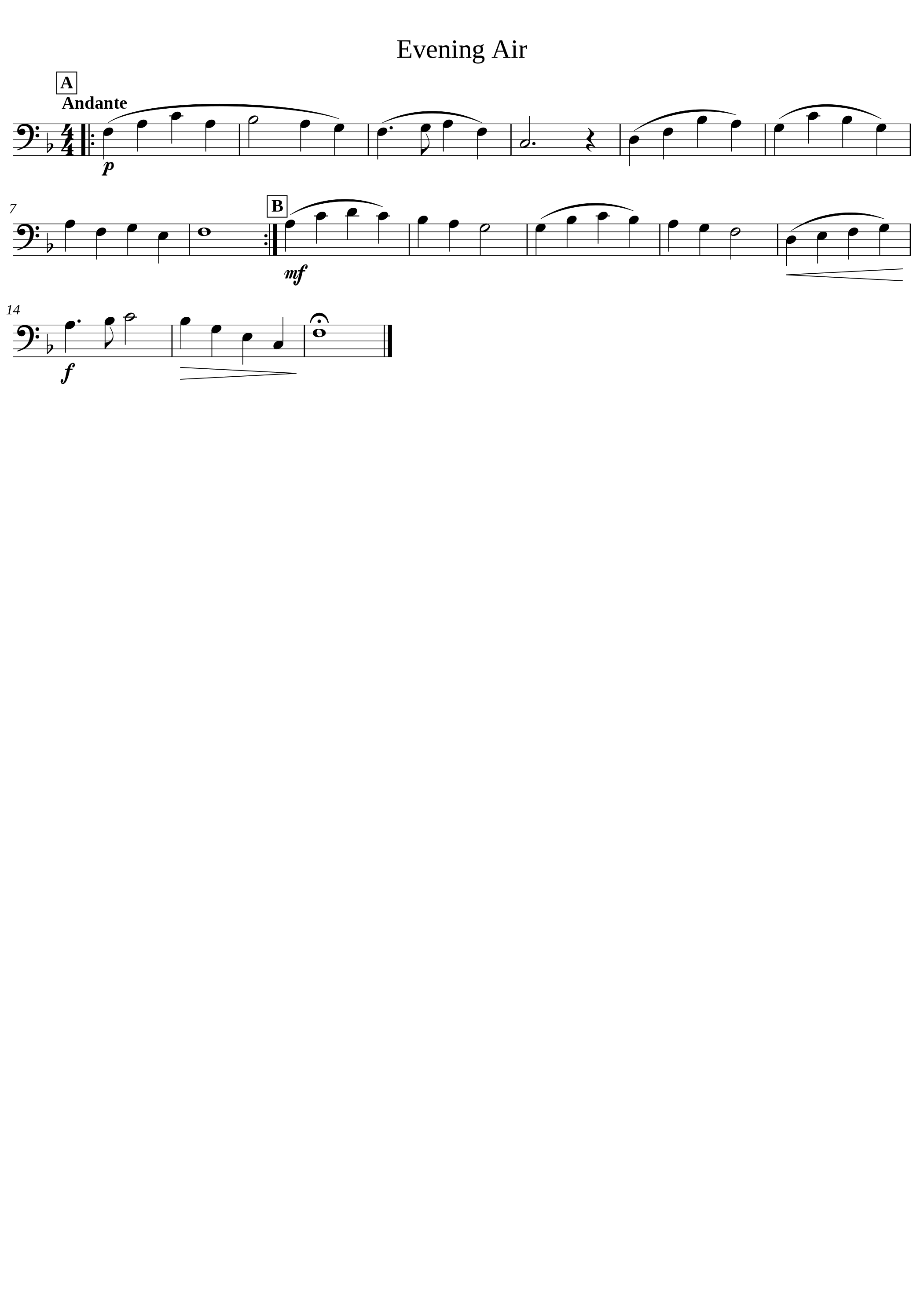
A part printed on an A4 page: three lines of small music, six bars a line.
As printed on A4
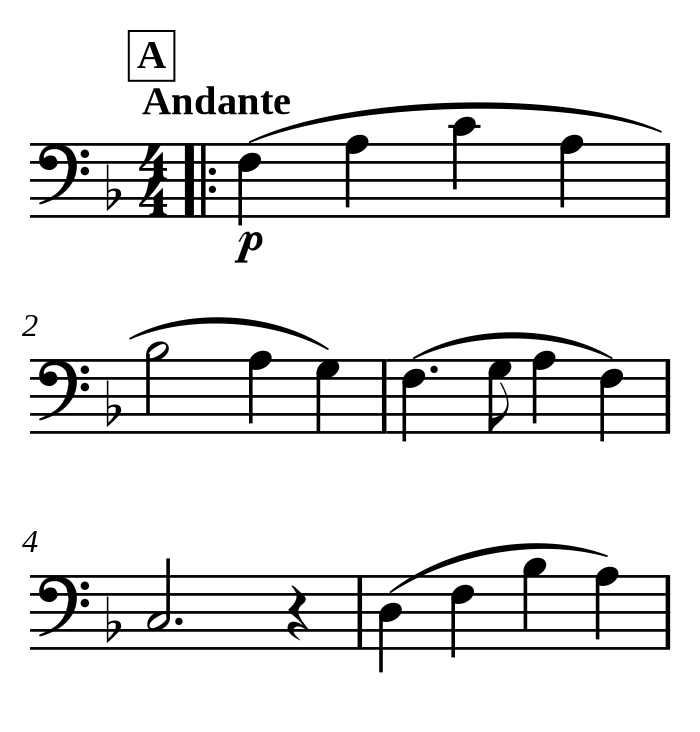
The same part in Large Score: large, bold music, two bars a line.
In Large Score

Made for one musician

Large Score is made to keep you performing music as long as you want to, even if your eyesight goes bad. We created this app for my grandfather, who in his nineties is still a passionate musician. His eyesight might be going, but his spirit isn't, so we built Large Score. This app takes MusicXML files and resizes them live, matched to your instrument. You can scale your bars up or down, which enables you to keep playing as long as possible.

A size chosen by looking

Choose the size by looking at real music in your own clef. Make the lines and note heads bolder. Each page is filled before you turn, and at the largest sizes the part reads as one line, a screen at a time.

Key reminders

The key's sharps and flats can be printed on every note they apply to, so you never have to keep the key in your head.

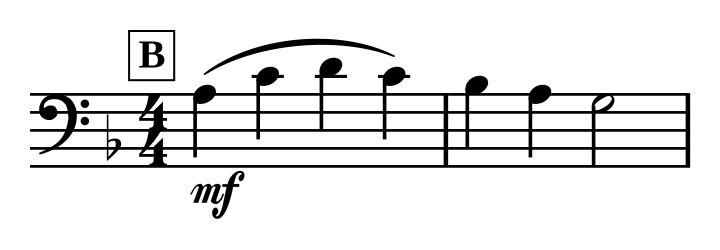
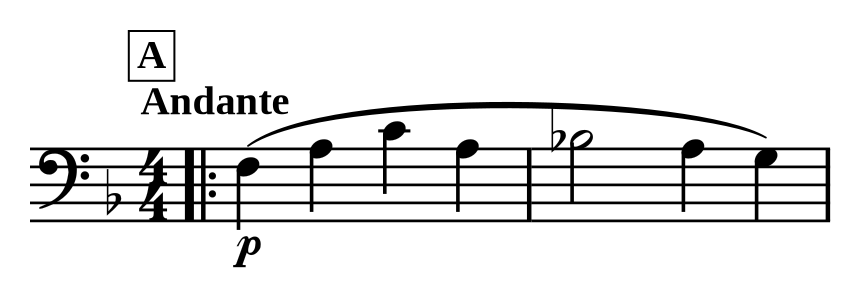
Two bars in F major as written: the B has no flat of its own.
As written
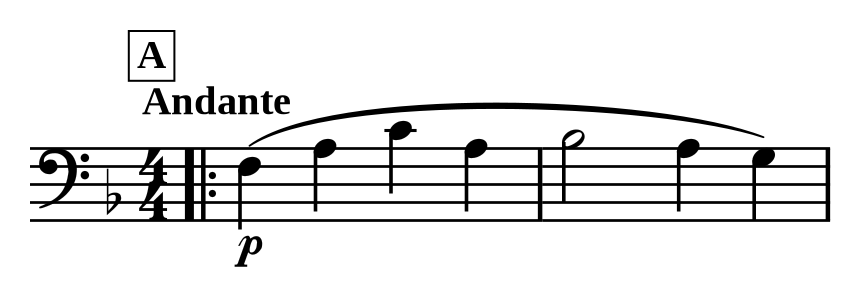
The same two bars with key reminders: the B is printed with its flat.
With key reminders

Three ways to read

Black on white, white on black, or yellow on black, for the light on the stage and the eyes that read it.

  • Black on white

  • White on black

  • Yellow on black

And on the stand

Only your part
Choose the part you play, or several parts to read together.
Pages turn with a pedal
A tap, a swipe or a Bluetooth page-turn pedal. A half-page turn shows the top of the next page first.
Go to a bar or letter
When the conductor says “from letter C”, tap Go To and then C. Bars are numbered as printed.
Programmes
The pieces for a rehearsal or concert in order. Turning past the last page goes straight on to the next piece.
Notes on the music
Write with Apple Pencil, or add breath marks, fermatas and fingerings. Mark a wrong note so it can be fixed.
Repeats in playing order
Repeated bars are printed again where they're played, with D.C., D.S. and Coda followed, so pages only turn forward.
A part for another instrument
Large Score moves it to your key and clef.
Note names your way
C D E or Do Re Mi, wherever notes are named.

Only have a PDF?

Large Score Converter reads a PDF of printed music on a Mac, shows it beside the PDF so you can fix what it read wrong, and sends it to your iPad.

About Large Score Converter

What you need

A MusicXML file of the piece: MuseScore, Sibelius, Dorico and Finale all export it. Or a PDF and a Mac for Large Score Converter.

An 11-inch or 13-inch iPad with iPadOS 26 or later, or a Mac with macOS 26 or later. Your library, programmes and notes reach your other devices through your own iCloud.

Works with Voice Control and larger text. In English and Dutch.

Large Score is open source, and its music is engraved with Verovio. Help with Large Score